Turn down all your graphics settings within the nVidia control panel (tutorial video). It will force lower graphics settings even if the game doesn’t give you the option to change something.

For whatever reason, older version of DirectX tend to use slightly more GRAM, but result in slightly lower GPU utilization. So, switching to DX9 might help you out a little bit since you appear to be good of GRAM (Launcher → Settings → Game Client → Run game clients with DirectX 9).

Turn off most of Windows’ eye candy options. I personally keep the following things enable because I feel like they are worth whatever performance hit I get from them. However, if you’re really desperate, I would turn off everything except for smooth the edges of screen fonts, as that is the only option that I consider to be absolutely critical (it greatly improves readability).
The max temp that your GPU can operate at is 98 degrees celsius. Thus, I doubt that your GPU is overheating, and then throttling it’s clock rate in order to compensate. However, I’d figure I’d mention it just in case. Programs such as HWMonitor will record the maximum temp that your GPU hits while it is running. Thus, it will let you know if your temp is spiking at any point without you constantly having to look at it.
Install and run ONE antivirus (Avast/AVG/Bitdefender/Avira) and an antimalware scan or two (Malwarebytes/Spyware Blaster) just to make sure you don’t have any crypto mining malware running on your computer. The free version of these programs are all you need.
Get the latest driver from nVidia. In fact, while your at it, why don’t you use DDU to uninstall the old driver first (check the setting that prevents windows from trying to install a generic graphics card driver).
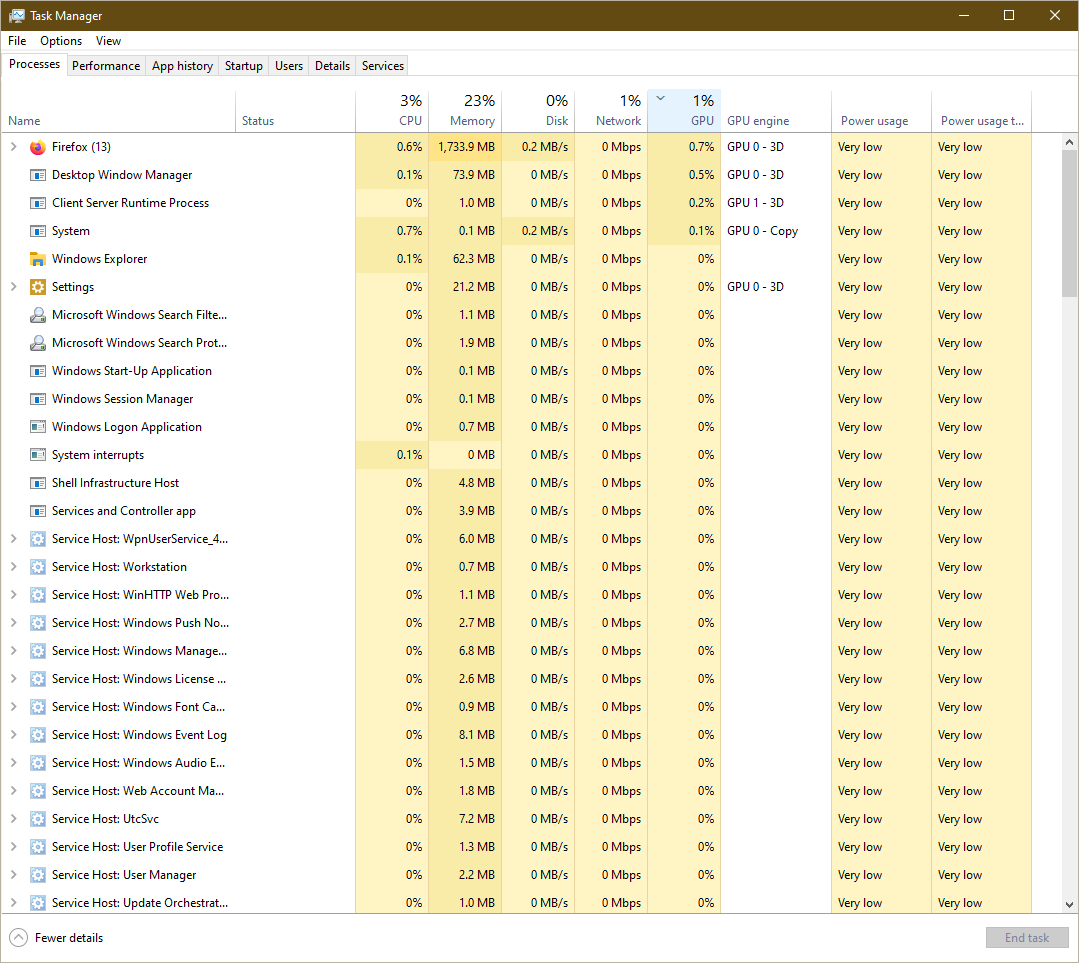
Check the task manager to make sure nothing is using a bunch of GPU, and report back if you see anything that looks out of the ordinary.

Select a high performance plan in Power Options.
Overclock your GPU. Naturally, stability is kind of important for a game with a harsh death mechanic, so I wouldn’t try to push things too far. Anyway, you can find various tutorials by seaching (Overclock GTX 260). The articles are old, and some of the links might be broken, but you should be able to find what you need by doing a google search (i.e. nTune).
If you have a PSU tester or know how to use a multimeter, you might want to test your PSU to make sure it’s still providing adequate juice to your GPU (you can find tutorials on Youtube).
Please file a bug report about that if you haven’t done so already.
Anyway, I hope that helps. If not, we’ll try digging deeper. A GTX 260 more than meets eve’s minimum system requirements, so it should be able to get the job done. And sometimes weird stuff can be causing problems. For example, I once started experiencing massive frame rate dips when moving my mouse. But it went away when I turned down my mouse polling rate in logitech’s software. So, who knows what kind of weird ■■■■ could be causing problems. In fact, if you’re really desperate, you might try doing a fresh install of windows.
Regardless, please keep us updated. Might help the next guy with similar problems.